Business Software

Parkify

Complete Smart Parking Management System

Manage vehicle entry and exit, parking tickets, automatic fee calculation, thermal printing, parking slots, monthly subscriptions, users, payments, and reports.

PARKIFY

PARKIFY is a complete smart parking management system designed for commercial parking areas, shopping malls, hospitals, offices, hotels, residential buildings, educational institutions, and public parking facilities.

The system helps your team process vehicles faster, calculate accurate parking fees, print professional tickets and receipts, monitor available spaces, and track revenue from one easy-to-use platform.

Why choose PARKIFY?

  • Fast vehicle entry and exit processing
  • Automatic parking fee calculation
  • Barcode-based ticket search and verification
  • Thermal ticket and receipt printing
  • Live parking occupancy dashboard
  • Parking slot and zone management
  • Monthly customer subscriptions
  • Vehicle entry and exit photo capture
  • Secure lost-ticket processing
  • Role-based staff access
  • Daily, date-range, occupancy, and revenue reports
  • Excel report export
  • Works across multiple computers on a local network

Simple, Fast and Reliable

Entry operators can issue tickets in seconds, while exit operators can find vehicles using a barcode, ticket number, or vehicle number. PARKIFY automatically calculates the parking duration and payable fee, helping reduce queues, calculation mistakes, and manual record keeping.

Key Features
Fast Vehicle Entry
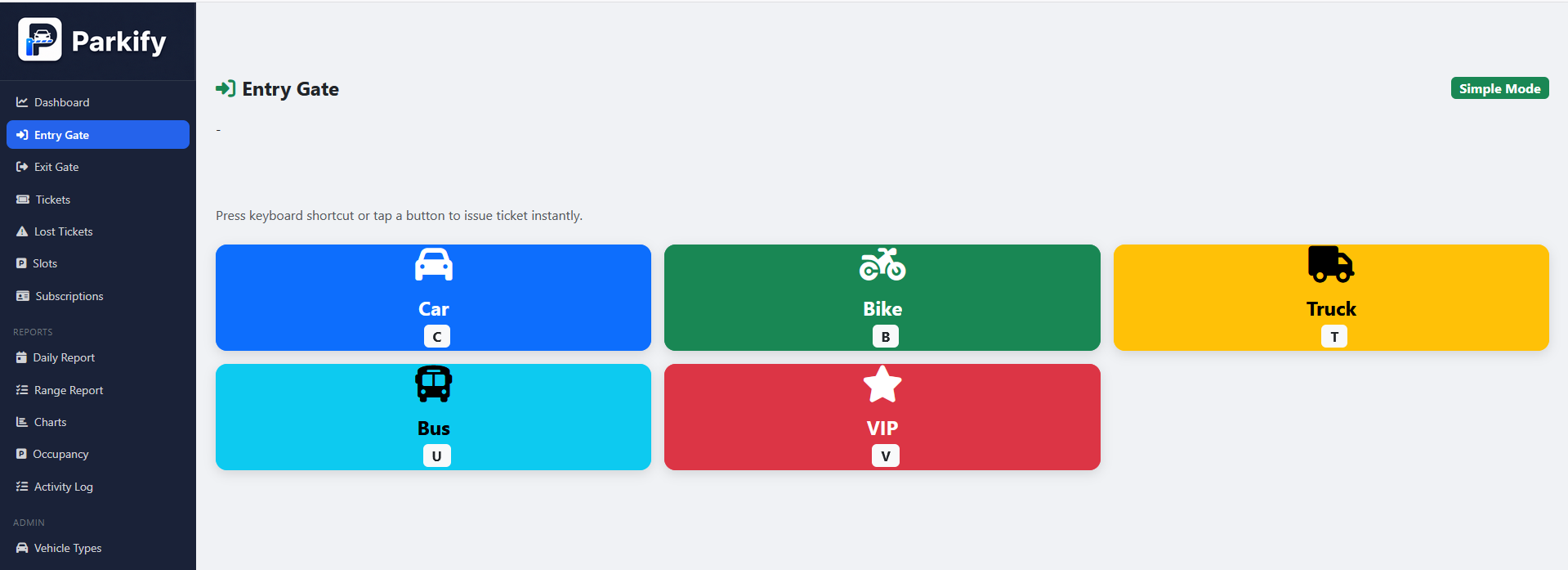
Issue parking tickets in seconds by selecting the vehicle type and entering optional details such as vehicle number, driver name, phone number, customer type, slot, and notes.
Quick Vehicle Exit
Find active parking tickets using a barcode, ticket number, or vehicle number and complete the exit process without unnecessary delays.
Automatic Fee Calculation
Automatically calculate parking charges using entry time, exit time, vehicle type, customer type, configured rates, grace period, discounts, and lost-ticket penalties.
Barcode Parking Tickets
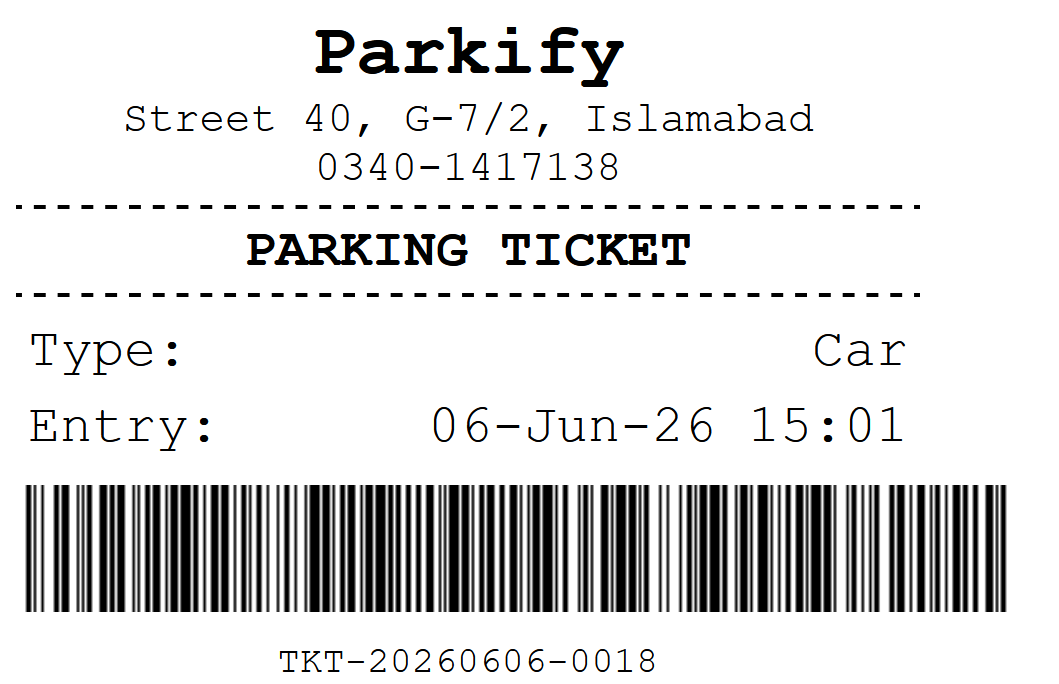
Generate a unique barcode for every ticket so operators can quickly scan and retrieve the correct parking record at the exit gate.
Thermal Ticket Printing
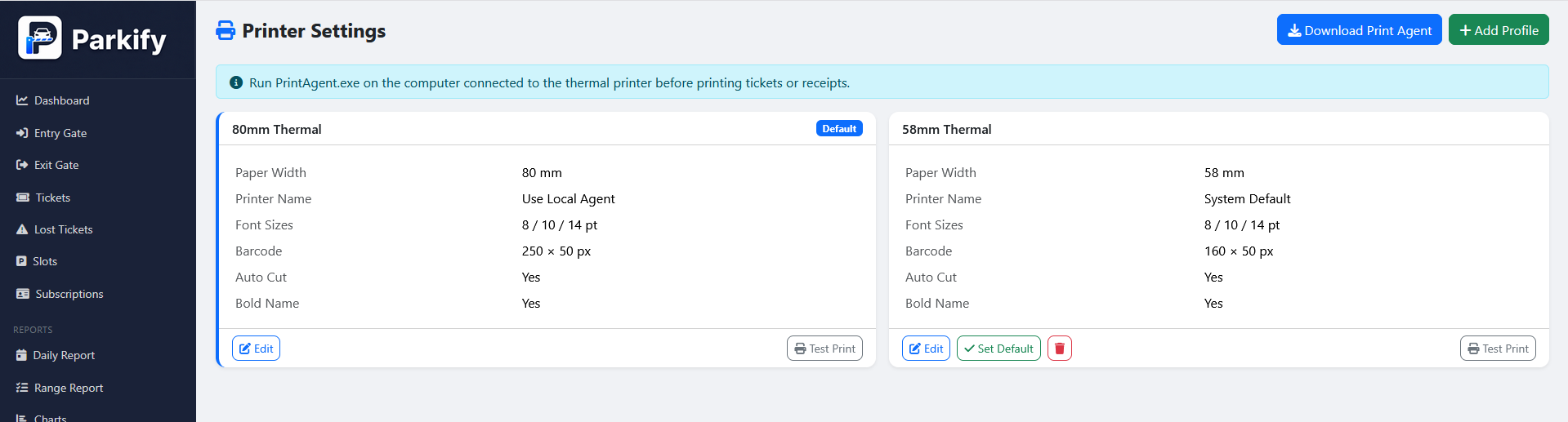
Print professional entry tickets and exit receipts using configurable thermal printer profiles, paper sizes, fonts, barcodes, and automatic cutting.
Live Parking Dashboard
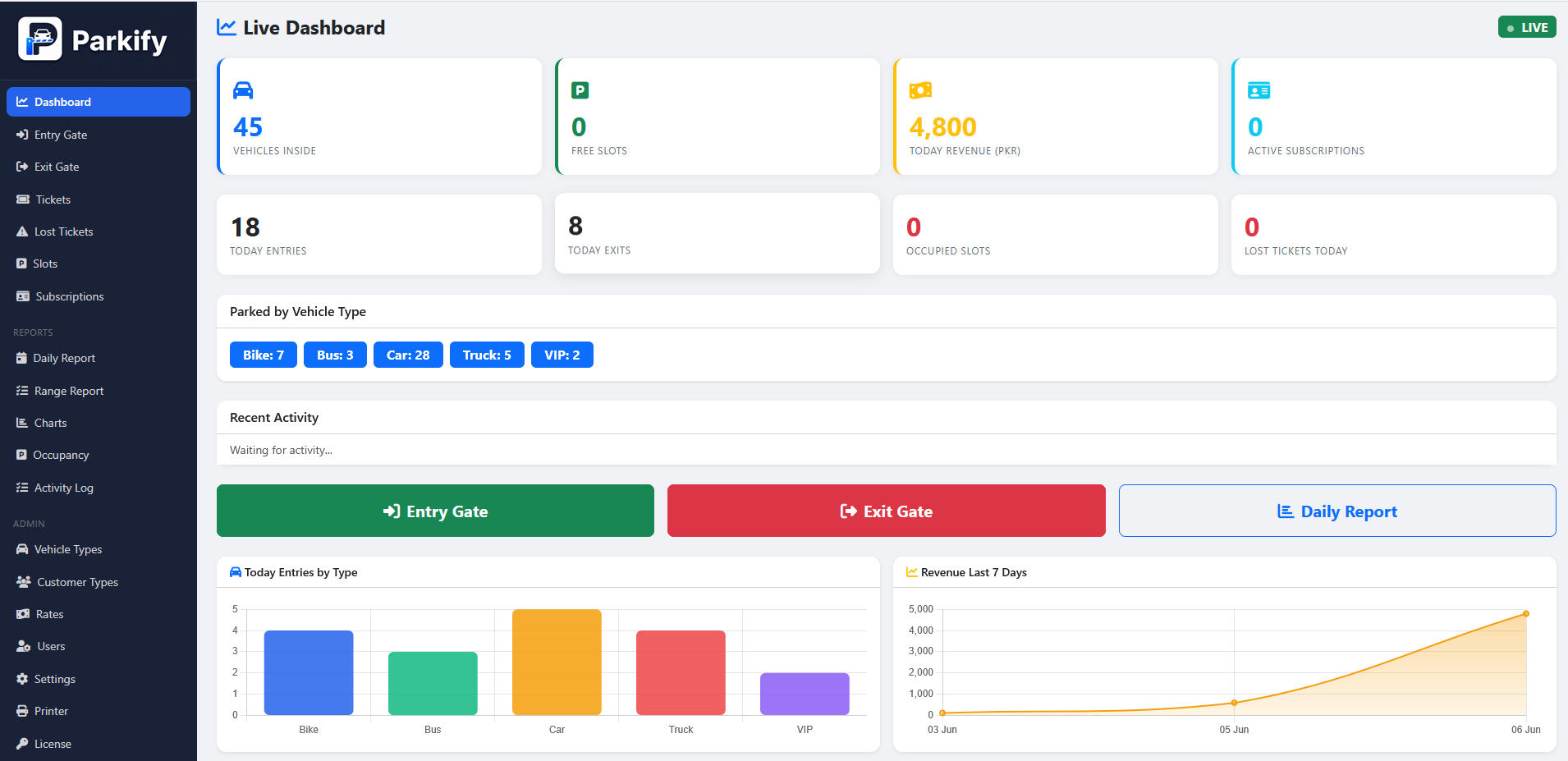
See vehicles currently inside, free and occupied slots, today's entries, exits, revenue, lost tickets, active subscriptions, and vehicle statistics.
Real-Time Updates
Keep connected computers updated when vehicles enter or leave, giving your parking team a current view of daily activity and occupancy.
Parking Slot Management
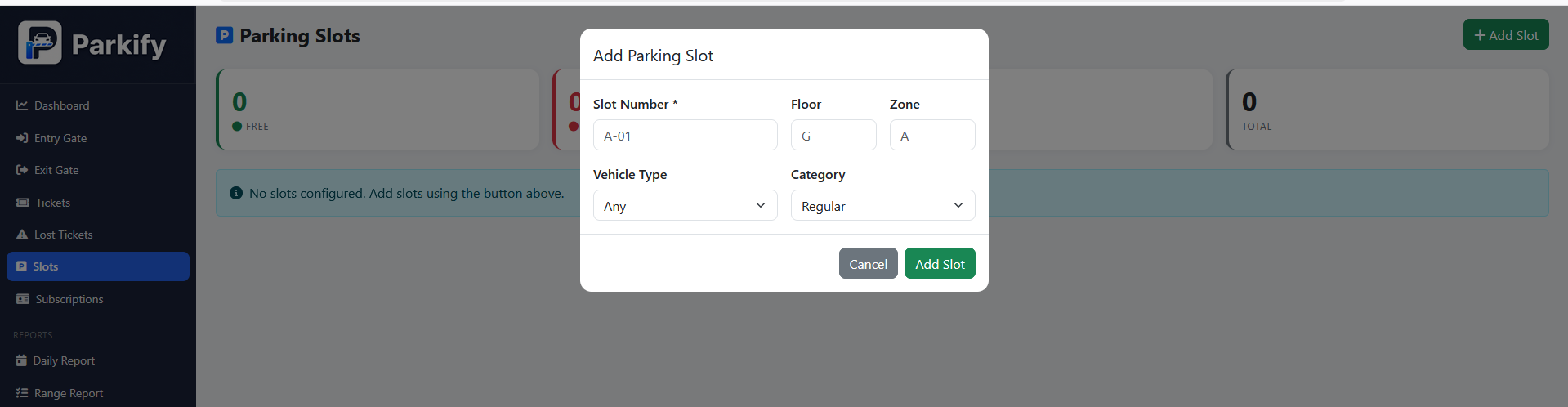
Create and manage parking slots by number, floor, zone, vehicle type, category, and current status.
Multiple Slot Categories
Organize spaces as regular, VIP, disabled, electric vehicle, or bike parking for better space allocation and control.
Flexible Parking Rates
Configure first-hour charges, additional-hour charges, daily maximums, monthly rates, grace periods, and lost-ticket penalties for each vehicle type.
Vehicle Type Management
Create separate parking rules and rates for cars, bikes, trucks, buses, VIP vehicles, or any custom vehicle category.
Customer Type Management
Set up regular, VIP, staff, monthly, or reserved customers with custom discounts, free parking, and reserved-space options.
Monthly Subscriptions
Register monthly parking customers, store vehicle and contact information, set subscription rates, track validity, and renew plans easily.
Entry and Exit Camera
Capture vehicle photos at entry and exit to improve verification, handle disputes, and maintain more complete parking records.
Lost-Ticket Management
Process lost tickets securely, collect supporting evidence, apply the configured penalty, and keep a searchable history of every case.
Detailed Parking Reports
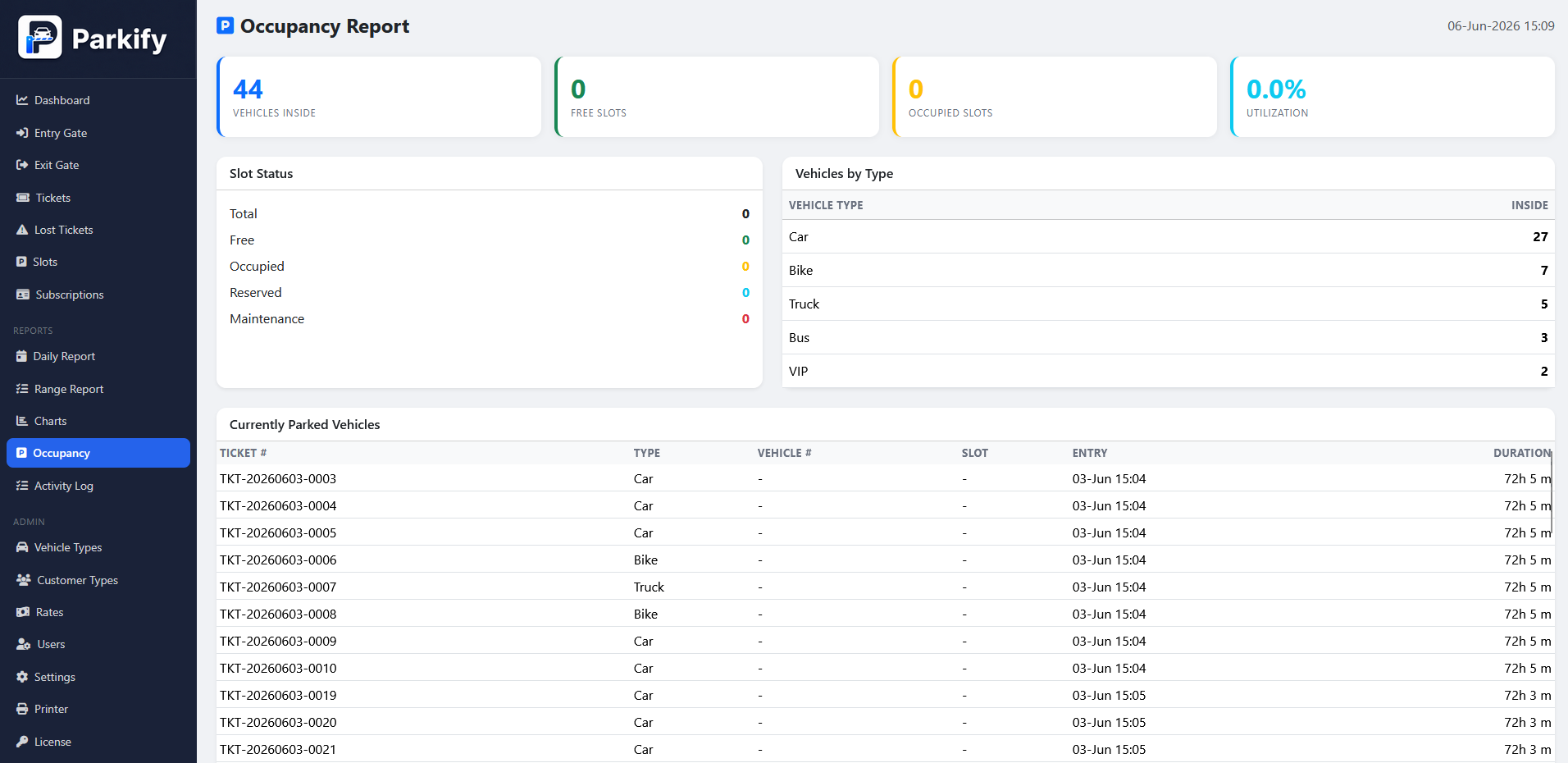
Review daily and date-range reports covering revenue, vehicle entries, exits, tickets, payments, and performance by vehicle type.
Occupancy Analytics
Monitor vehicles currently parked, available spaces, occupied spaces, long-stay vehicles, peak hours, and occupancy by vehicle type.
Visual Business Charts
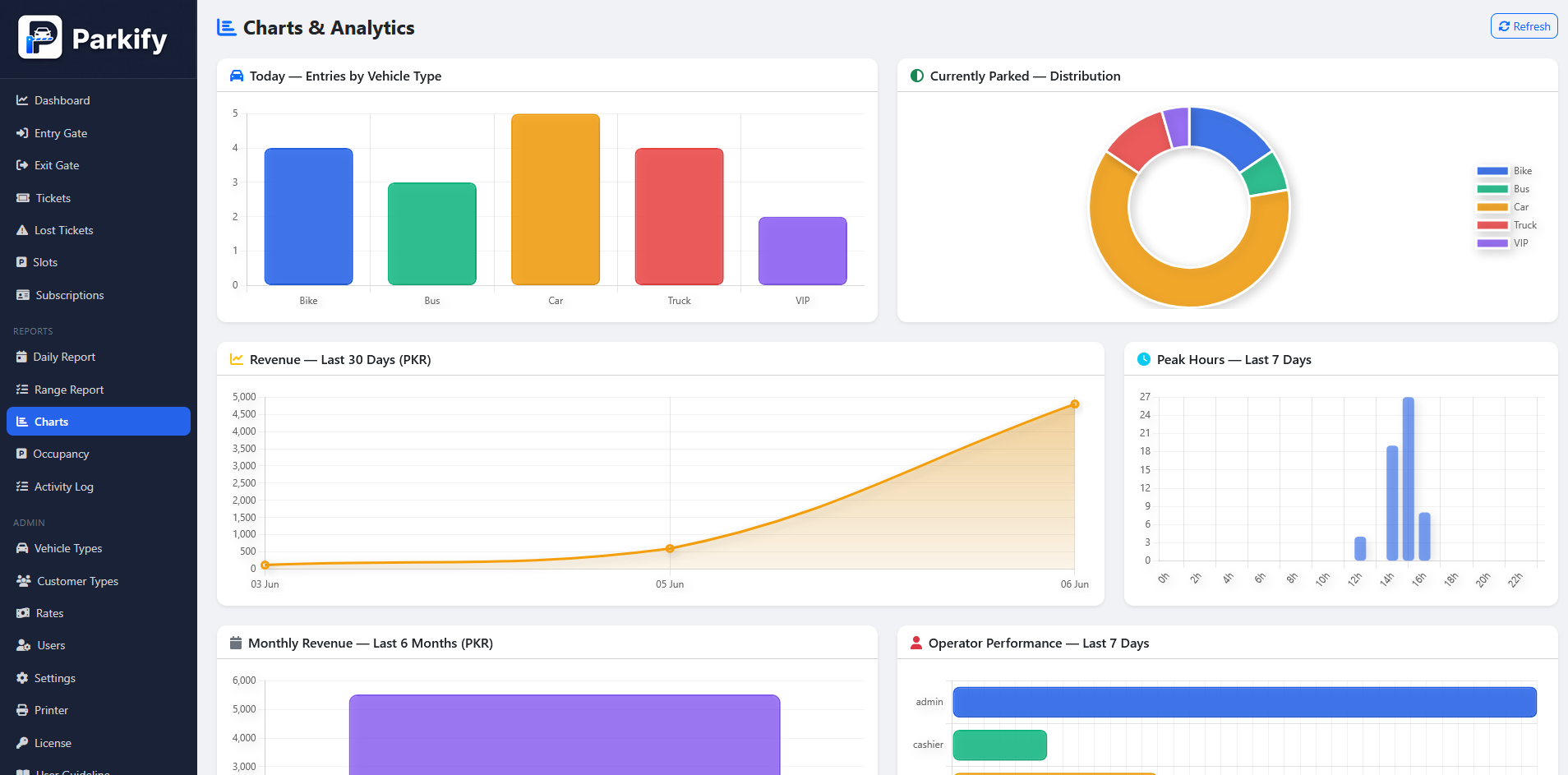
Understand performance through clear charts for daily revenue, monthly revenue, parked vehicles, peak hours, and operator activity.
Excel Report Export
Export parking and revenue records to Excel for accounting, management review, archiving, and further analysis.
Role-Based User Access
Assign secure roles for administrators, supervisors, cashiers, entry operators, and exit operators so each employee sees the tools they need.
User Activity Logs
Track important user actions, login activity, record changes, and IP addresses to improve accountability and operational control.
Multi-Computer Network Access
Run PARKIFY from a central server and allow entry, exit, cashier, supervisor, and administration computers to connect through the local network.
Customizable System Settings
Configure parking details, currency, taxes, entry fields, exit options, ticket content, receipt preferences, cameras, and automatic printing.
Secure Licensed Software
Protect your PARKIFY installation with system licensing designed to prevent unauthorized use and keep deployments controlled.
Installation Guide

Installation Guide

Server Computer Requirements

  • Windows 10, Windows 11, or Windows Server
  • Microsoft IIS
  • ASP.NET Core 8 Hosting Bundle
  • Microsoft SQL Server Express or SQL Server
  • 4 GB RAM minimum; 8 GB recommended
  • 1 GB free disk space

Server Installation

  1. Install Microsoft SQL Server Express on the server computer.
  2. Install IIS and the ASP.NET Core 8 Hosting Bundle.
  3. Copy the published PARKIFY files to a folder such as C:\Parkify.
  4. Update the database connection string in appsettings.json.
  5. Create an IIS website with C:\Parkify as its physical path.
  6. Set the application pool to No Managed Code.
  7. Configure the required IP address and port, such as port 5000.
  8. Allow the configured port through Windows Firewall.
  9. Open PARKIFY in a browser and complete the initial settings.

Entry and Exit Computers

  1. Connect the computer to the same local network as the server.
  2. Open Google Chrome or Microsoft Edge.
  3. Enter the PARKIFY server address, such as http://192.168.10.110:5000.
  4. Sign in using the account assigned by the administrator.

Thermal Printer Setup

  1. Install the thermal printer driver on the computer connected to the printer.
  2. Print a Windows test page to confirm the printer is working.
  3. Download the PARKIFY Print Agent from the Printer Settings page.
  4. Run PrintAgent.exe on the same computer used for printing.
  5. Keep the Print Agent running while printing tickets or receipts.

Camera Setup

  1. Connect or enable the camera on the entry or exit computer.
  2. Enable camera support from PARKIFY settings.
  3. Allow camera permission when requested by the browser.
Get This Software
Enter a valid email to receive Software.
Version v 1.0.0
File Size 10 MB
Start Free 7-Day Trial Request Free Demo WhatsApp Us View Online Documentation
Release Notes
v1.0.0: PARKIFY smart parking management release
- Vehicle entry and exit management
- Barcode parking tickets
- Automatic fee calculation
- Thermal ticket and receipt printing
- Live parking dashboard
- Parking slot management
- Monthly subscriptions
- Camera support for entry and exit
- Lost-ticket processing and evidence records
- User roles and activity tracking
- Daily, range, occupancy, and visual reports
- Excel report export
- Multi-computer local network support
Need Help?
Our sales team is ready to assist you with pricing, setup, and demos.
+92-340-1417138 Email Us

Let's Talk
Business

Ready to transform your business? Our expert team responds within 24 hours.

Office
Office #201, TF Complex,G 9/4, Islamabad
WhatsApp
+92-340-1417138
Average response time: under 2 hours

Send Us a Message